
Headcounts are a cornerstone of safety and security, ensuring that every inmate is accounted for and that staff can maintain the care, custody, and control of the overall facility. When counts are inaccurate or performed carelessly, officers lose visibility into who is where—creating serious risks and blind spots.
Without knowing where inmates are located, facilities increase their risks of potential escapes, reduced ability to respond effectively in emergencies, and greater opportunities for inmates to engage in misconduct. Because of this, headcounts must be performed with close precision and intentional consistency. They are not just routine tasks—they are essential safeguards.
Command Cloud’s Headcount dashboard and Headcount module were designed to make this vital process more efficient and effective. Together, they streamline the process of starting, tracking, and documenting inmate headcounts, replacing inefficient manual methods with tools that enhance accuracy and accountability.
In this guide, you’ll learn how to leverage Command Cloud to strengthen your agency’s headcount procedures and improve documentation practices. With the Headcount dashboard and Headcount module tools, agencies can:
- Reduce human error and save time by eliminating paper-based workflows.
- Quickly identify discrepancies or gaps to improve compliance and operational efficiency.
- Ensure the safety and security of staff and inmates while enhancing officer accountability and communication.
- Gain visibility through accurate, accessible records, strengthening facility defensibility and overall confidence in operations.
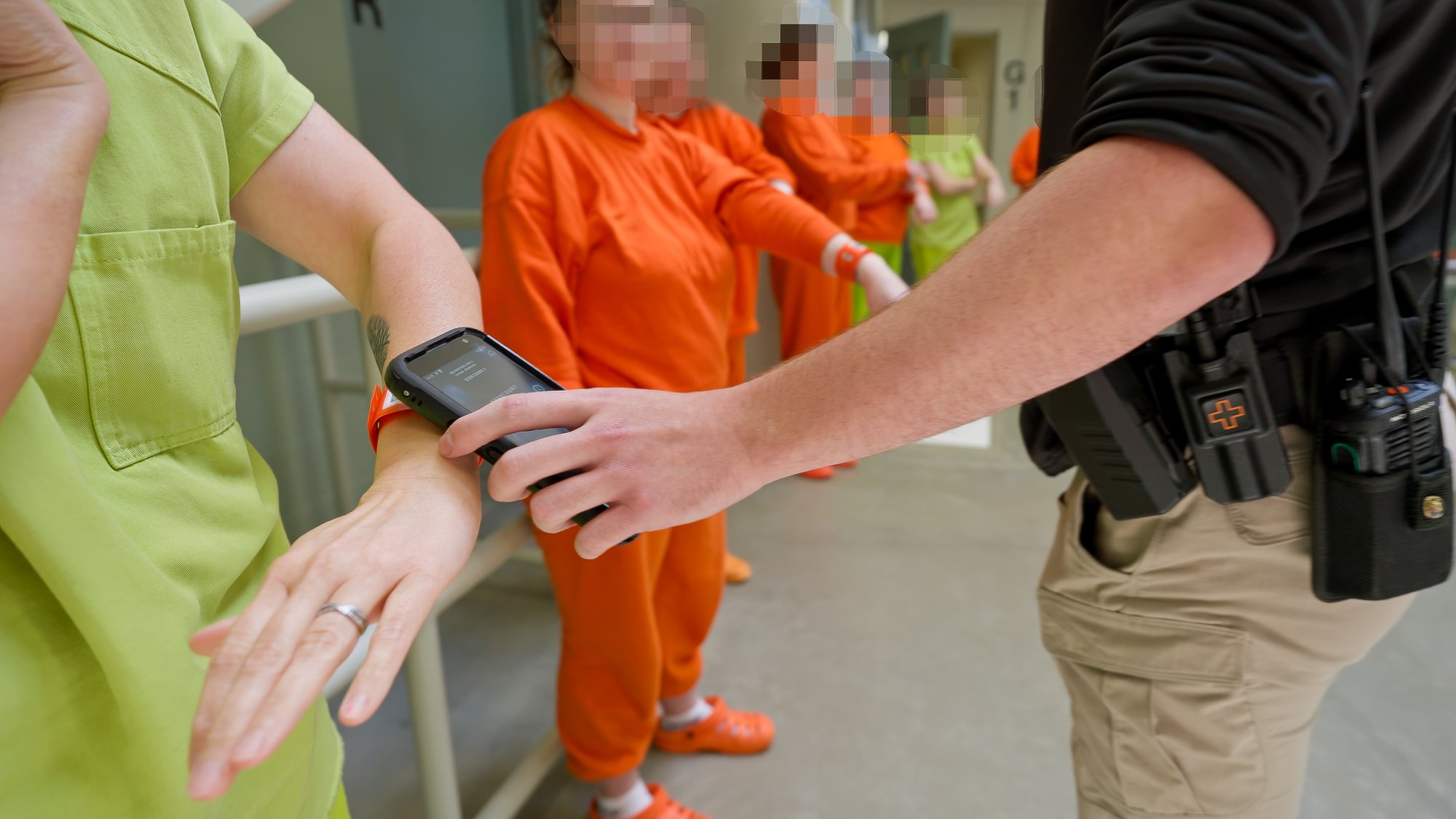

 An informal headcount is a quick, on-the-spot count conducted at the officer’s discretion. It involves simply physically counting inmates’ heads in a given area, verifying if the expected number of inmates matches the count.
Although less detailed than a formal count, informal headcounts play an important role in maintaining continuous awareness of inmate movement. They allow officers to quickly confirm that no one is missing or out of place, which helps prevent small issues from escalating into larger security concerns.

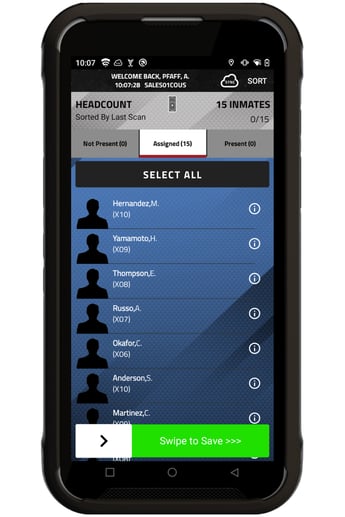 The Headcount module operates within Mobile Command XR, Command Cloud’s mobile inmate tracking solution. By using this module, officers can document headcounts in real time while also viewing comprehensive lists outlining which particular inmates should be assigned to a specific area.
Because the module is fully integrated with Command Cloud, inmate movements are automatically updated across the system. If an inmate is moved to medical, recreation, court, or any other location, that change is visible to staff conducting the count via their Mobile Command XR screen. If an inmate is not where they are expected to be, officers can quickly mark them as unaccounted for and, if necessary, add a justification that clarifies their absence.
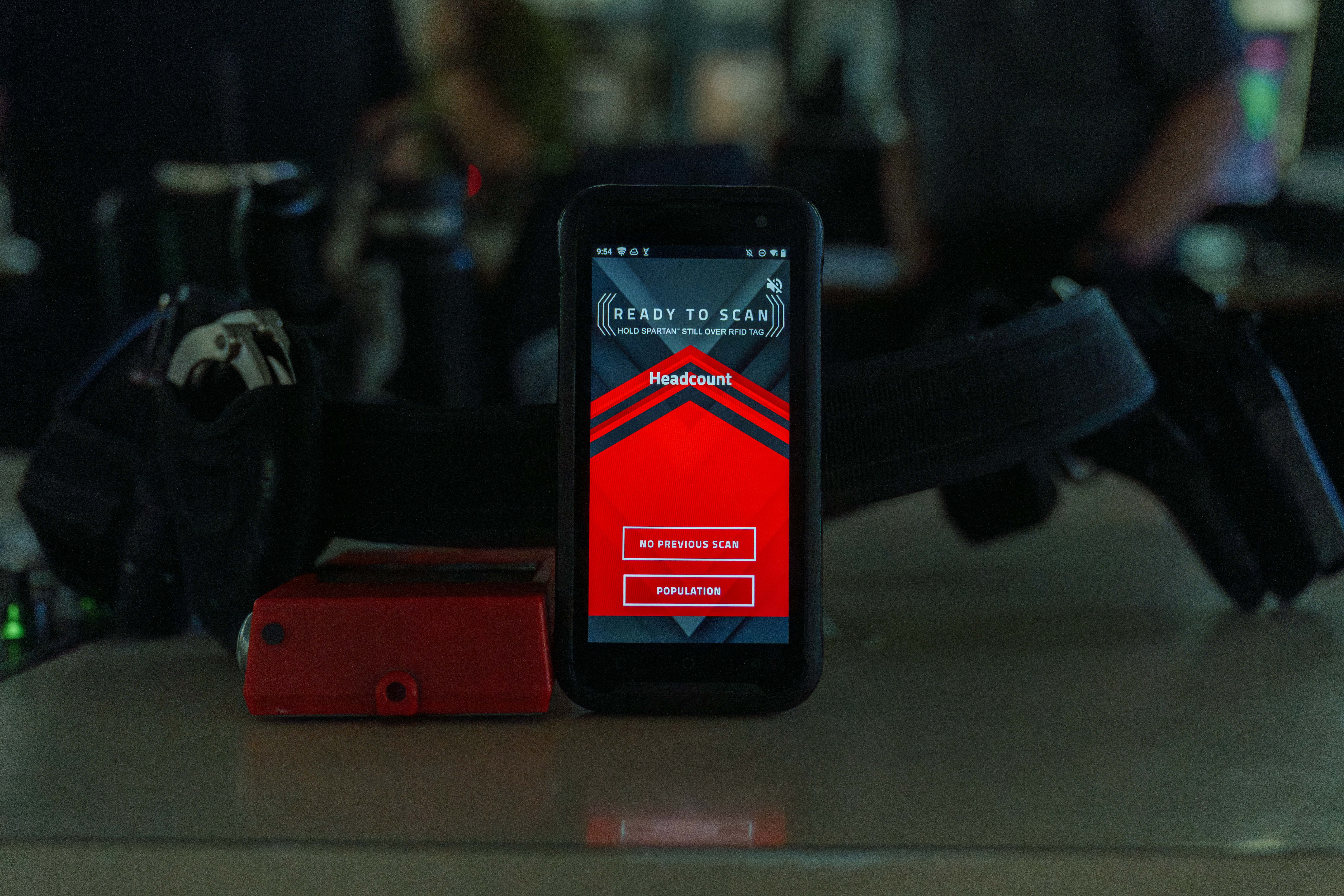
Since Mobile Command XR is housed on SPARTAN, staff can access the Headcount module straight from their device, on the go. This gives staff real-time awareness and enables them to complete headcounts more accurately at the point of responsibility from anywhere in the facility.
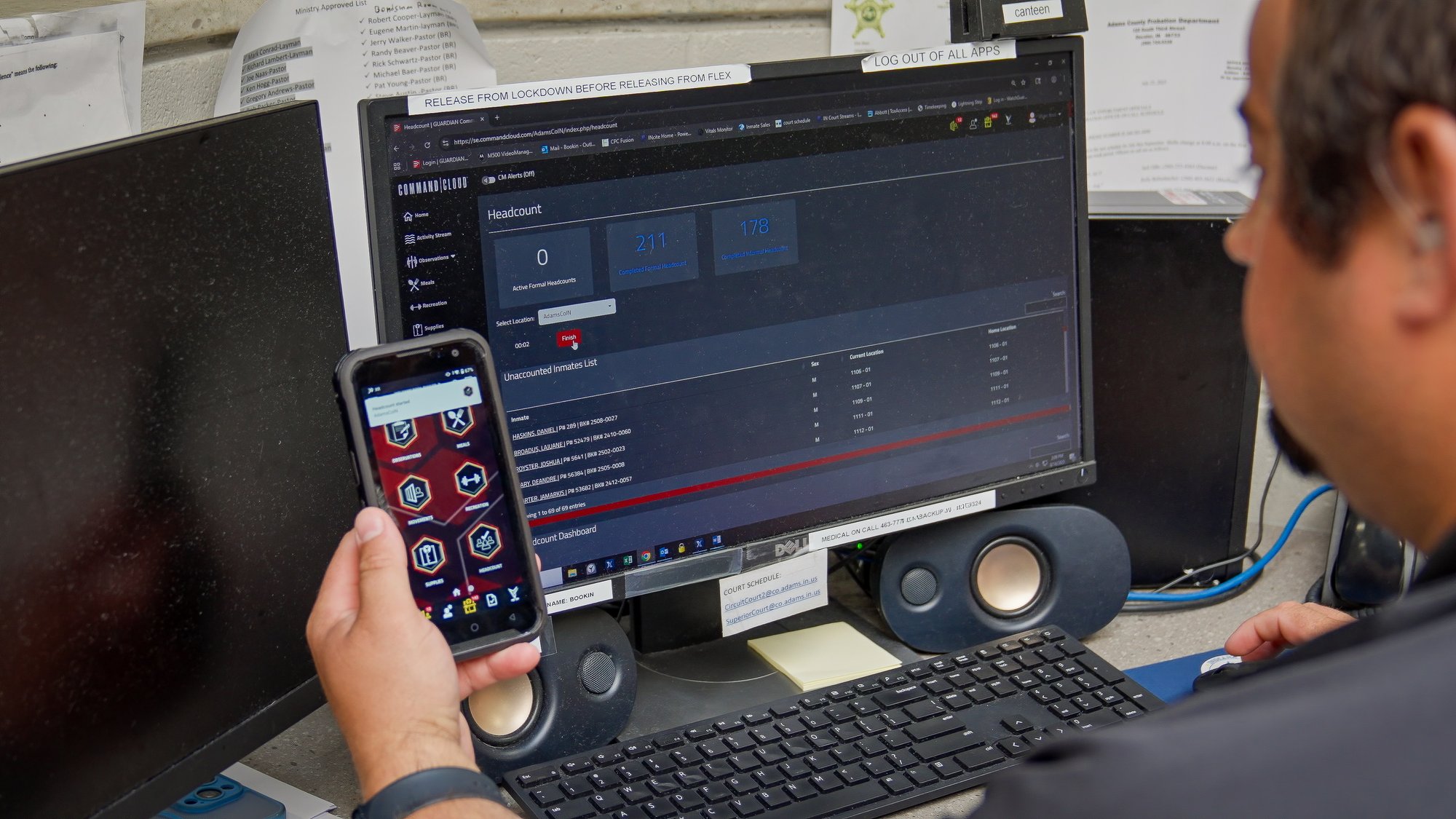
The Headcount dashboard, native to Command Cloud’s Mission Command platform, enables empowered users to start formal headcounts, monitor the progress of active ones in real time, and review and export data from both formal and informal headcounts.
By navigating to Headcounts on the left-hand command pillar in Mission Command, users get a clear overview of statistics across facility locations. Each entry highlights key details such as the total number of inmates, gender breakdown (male, female, unknown), and whether they are marked as In or Out of their cell.
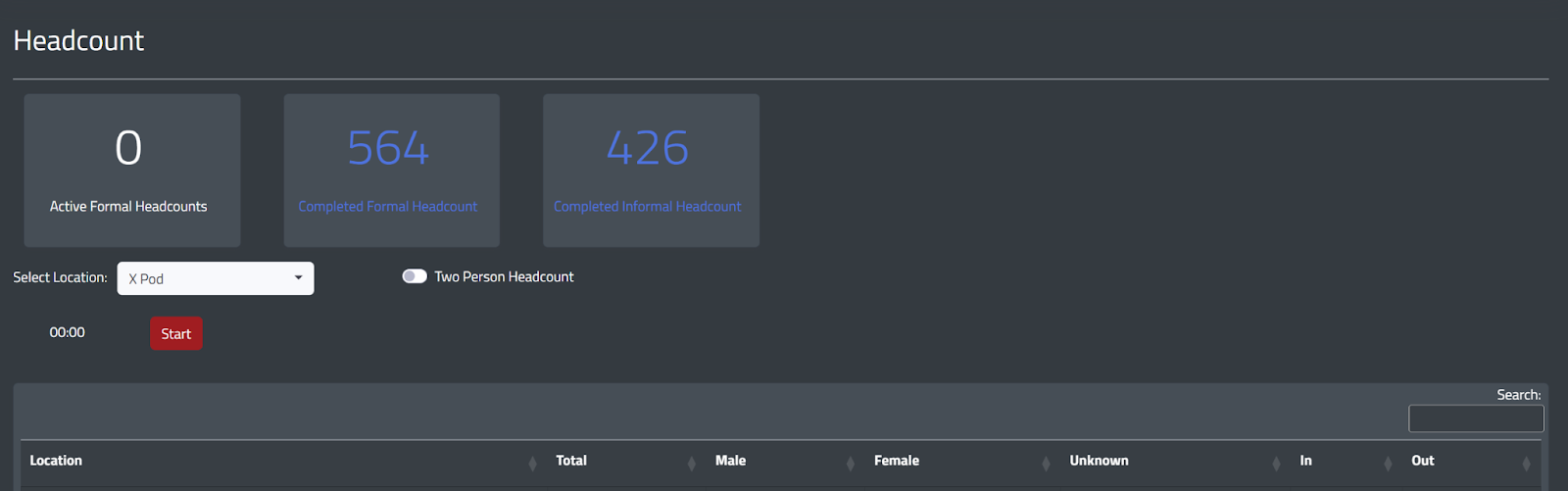
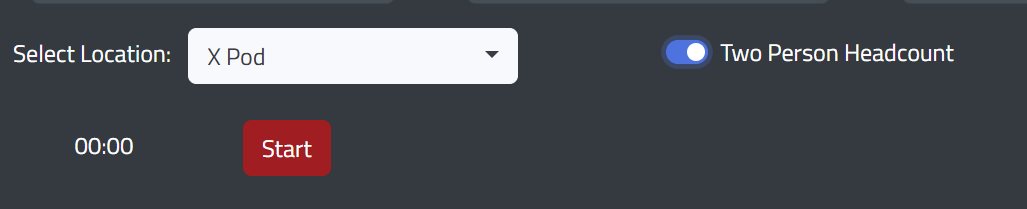
At the top of the dashboard, three clickable boxes allow users to toggle back and forth between different reports, including Active Formal Headcount, Completed Formal Headcount, and Completed Informal Headcount. There is also a toggle to support Two-Person Formal Headcounts, which can be turned on before starting a headcount simply by clicking it.
.jpg?width=2000&height=1125&name=Headcount-1%20(1).jpg "Headcount-1 (1)")
To start conducting a formal headcount or a two-person formal headcount in Command Cloud, an empowered user would navigate to the Headcount dashboard and:
- Toggle on the Two-Person Headcount feature if your facility requires them
- Click the Select Location dropdown and select the desired location where the headcount will begin
- Press the red Start button
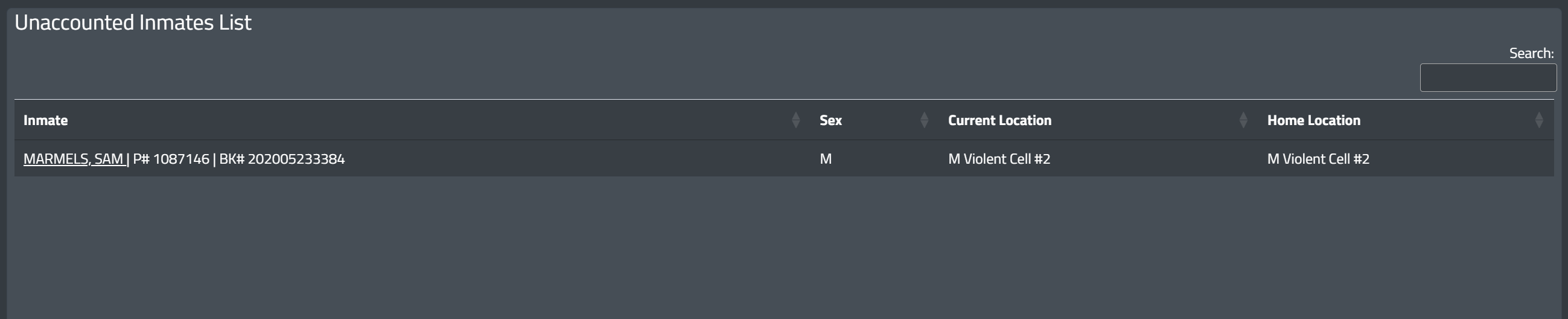
After the system administrator presses Start, a new view appears showing two sets of data: the Unaccounted Inmates List and the Headcount dashboard.
- The Unaccounted Inmates List highlights each inmate’s name, gender, current location, and home location. This enables users to track headcounts in real time and quickly identify any missing inmates.
- The Headcount dashboard displays information for the location(s) where the headcount is active. This includes the location, total number of inmates, breakdown by gender, the number of inmates are In and Out of their cells, how many have been accounted for, the types of scans completed, and the last updated time. When completing a two-person formal headcount, the Accounted and Accounted #2 columns appear to ensure every inmate is counted by both officers and to identify any inmates who still need to be counted a second time.
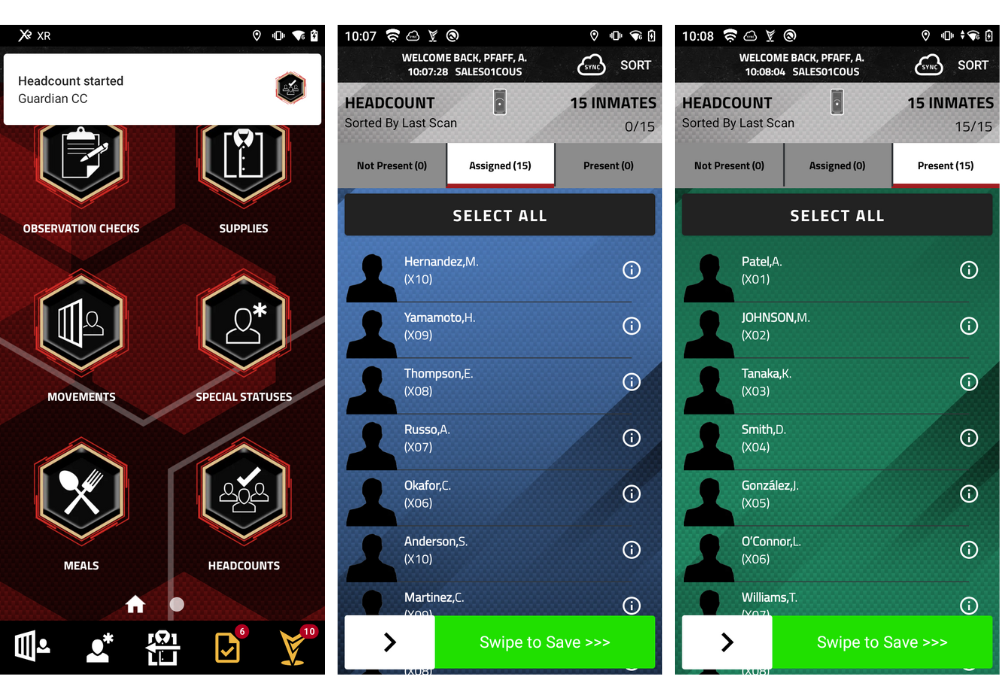
Once the formal headcount is initiated in Mission Command, an alert is sent to Mobile Command XR on each officer’s SPARTAN. After receiving the headcount alert, officers complete the headcount by following these steps:
- Navigate to the Headcount module in Mobile Command XR.
- Scan your location tag to display the list of inmates assigned to that location.
- Scan inmate IDs to automatically mark them as present, or manually swipe right to mark them as present.
- If an inmate is not present, swipe left to mark them as Not Present, move them by selecting the appropriate location block, and provide a justification by using talk-to-text or typing a custom note, to clarify why they are not present for headcount.
- Swipe to SAVE. All updates will automatically sync and appear in Mission Command.
Once all inmates are accounted for, the headcount administrator selects Finish to end the headcount in Mission Command.
Can I cancel a formal headcount if needed?
Yes, a formal headcount can be cancelled in Mission Command. Whether it was started by mistake or the Two-Person Headcount feature was not toggled on yet, an empowered user can press the Cancel button to end it early. Cancelled headcounts will still appear in the Headcount dashboard’s Completed Formal Headcount report, but will be marked as Cancelled under the Status column to clearly indicate that it was not completed.
What happens if a headcount is “finished” but not every inmate has been accounted for?
When a headcount is “finished,” and there are inmates who have not been accounted for, the authorized user must enter a justification for each unaccounted inmate detailing why they were not there. For example, if an inmate is at court during a headcount, the user will need to note that as the justification.

- Keysha Phelps | Jail Admin at Sequoyah County Sheriff's Office, OK
No, you do not need to scan a Hard Tag to perform headcount; however, it is the preferred method. There are other ways to perform a headcount (both formal and informal) without scanning a Hard Tag to start, including:
-1.jpg?width=430&height=466&name=SherburneCounty-46%20(2)-1.jpg)
- No Scan: Officers can open the Headcount module in Mobile Command XR and select POPULATION to pull up a complete list of inmates assigned to that location. From there, they can swipe right for PRESENT or left for NOT PRESENT without scanning physical IDs. These entries will appear as “No Scan” in Mission Command.
- ID Scan: Officers can open the Headcount module in Mobile Command XR, select POPULATION to pull up a complete list of inmates assigned to that location, and scan each inmate’s ID to mark them as PRESENT. These will appear as an “ID Scan” in Mission Command.
- Ad Hoc ID Scan: Officers can open the Headcount module in Mobile Command XR, scan the IDs of all present inmates, and then swipe to SAVE. However, this method does not reference the population list, so unaccounted-for inmates cannot be identified during an informal headcount and can only be identified during a formal headcount in Mission Command. These entries will also appear as an “ID Scan” in Mission Command.

“I truly feel that the SPARTAN has made headcounts significantly easier. We're able to actually walk up to the cells and
- Daniel Cameron | Correctional Officer at Sherburne County, MN
.jpg?width=1000&height=666&name=IdahoFallsJails2025-134%20(1).jpg "officer using mission command command cloud")
All headcounts—both formal and informal—recorded in Command Cloud are stored within Mission Command. These exportable reports highlight critical information captured during each headcount. To access them, select one of the three boxes at the top of the Headcount dashboard:
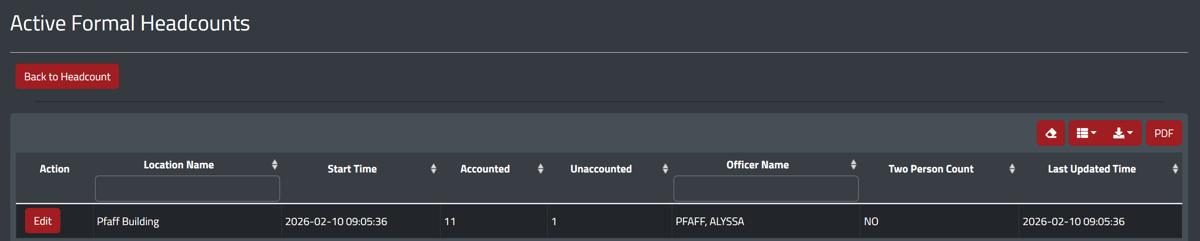
- Active Formal Headcount: Displays all formal headcounts currently in progress within the facility. This real-time view enables users to monitor headcounts as they happen, quickly identifying who is or isn’t accounted for and their intended location. This information helps direct attention to potential challenges and allows supervisors to check in with officers conducting the count to determine if assistance is needed.
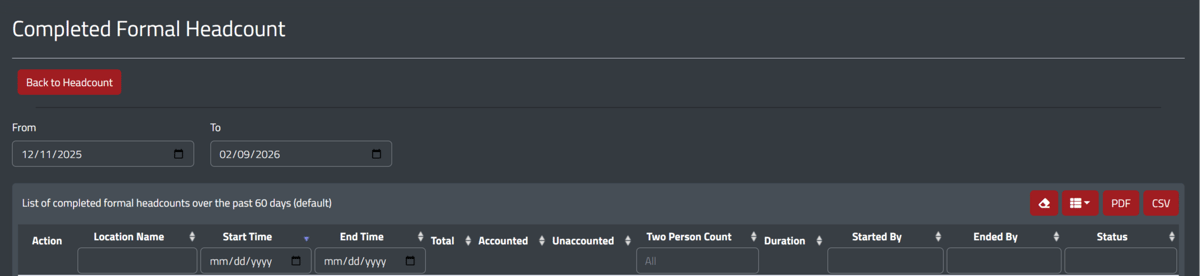
- Completed Formal Headcount: Shows all formal headcounts that have been completed within the selected timeframe. Each entry includes essential information such as the location, start and end times, number of inmates, count results, whether it was a two-person count, its duration, who started and ended it, and can be expanded to view more detailed information. This report empowers users to drill down into inmate-specific data, including names, scan type, and justifications for any unaccounted inmates.
- Completed Informal Headcount: Similar to Completed Formal Counts, this report displays all informal headcounts within the chosen timeframe. Each entry includes essential information such as location, count time, and can be expanded for deeper detail.
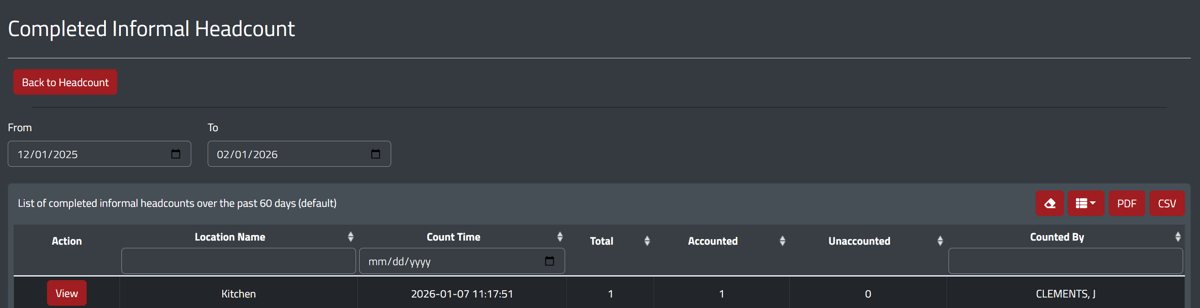
In both Completed Formal and Informal Headcounts, users can select the red View box to open a comprehensive overview of the selected headcount. This includes information such as inmate name, location, accounted time, the officer who completed the headcount, and other critical details. All of these reports can be downloaded from the dashboard in either PDF or CSV format and distributed as necessary.